Key Takeaways
If you are rushing to pack your bags and do not have time to read the whole guide right now, here are the most critical steps you need to take before your flight lands:
- The Firewall is Real: You will not be able to access Google, YouTube, Instagram, WhatsApp, or major Western news sites without preparation.
- Prep Before You Fly: Download and pay for at least two different virtual private networks while you are still at home. Once you land, it is incredibly difficult to download them.
- Use a Burner: The safest data is the data you do not bring. Use a clean, cheap phone and a fresh laptop with zero personal files on them if possible.
- Lock Everything Down: Switch on two-factor authentication for every account, use a high-quality password manager, and turn off your biometric logins like face recognition before you go through customs.
- Assume Zero Privacy: Treat every public wireless network, hotel internet connection, and local chat app as if someone is looking over your shoulder.
Imagine stepping off a long flight, looking at your phone, and realizing you cannot text your family, check your bank account, or look up directions to your hotel. For many people visiting China for the first time, this is the exact moment reality hits. China has a digital landscape that is completely different from the rest of the world.
While the country is incredibly modern and relies heavily on mobile phones for daily life, it also runs on a highly controlled internet system. If you want to keep your private photos, personal emails, work documents, and online banking details safe while you explore, you have to change how you use technology. Securing your data is not just for computer experts. Anyone can do it with the right steps. Let us look at how you can protect your digital life while enjoying your trip.
Understanding the Great Firewall
To protect yourself, you first need to understand what you are up against. China uses a massive system of internet filters and regulations. People around the world usually call this system the Great Firewall.
What the Filter Does
The main job of this firewall is to control what information goes in and out of the country. It blocks thousands of websites that people in the West use every single day. If you try to open your usual apps on a standard Chinese internet connection, you will just see error screens. The system blocks things for political, cultural, and competitive reasons. Local Chinese tech companies have built their own versions of every major app, and the government prefers that people use those local options.
What is Blocked in China
The list of unavailable websites is massive, but here are the main ones that travelers miss the most:
- Search Engines: Google, Yahoo, and DuckDuckGo.
- Social Media: Facebook, Instagram, TikTok (the Western version), X, and Snapchat.
- Video and Streaming: YouTube, Netflix, Twitch, and Vimeo.
- Communication: WhatsApp, Gmail, Messenger, Telegram, and Signal.
- Information: Wikipedia, The New York Times, BBC, and most international news outlets.
- Work Tools: Slack, Google Drive, Dropbox, and OneDrive.
How the Filtering Works
The system does not just block website names. It looks at the actual data moving across the network. If it spots keywords that the government dislikes, it can instantly drop your connection. It also tracks the destination of your internet traffic. If your phone tries to talk to a server owned by Google or Facebook, the firewall steps in and cuts the cord. This happens silently, making it look like the website is simply broken or down.
The Ultimate Pre-Trip Digital Checklist
You cannot show up in China and try to fix your privacy settings on the fly. By the time your plane touches down, the digital doors will close. You must do the heavy lifting while sitting on your couch at home.
Update Every Single Device
Before you pack your devices, make sure their operating systems are completely up to date. This goes for your phone, your laptop, your tablet, and even your smartwatch. Tech companies constantly find security flaws in their software and release patches to fix them. A fully updated phone is much harder to hack than a phone running software from six months ago.
Back Up Everything to a Hard Drive
If your phone gets lost, stolen, or searched at the border, you do not want to lose your memories or important documents. Plug your devices into an external hard drive at home and make a complete copy of everything. Once the backup is done, leave that hard drive at home. You should also clear out old photos, private text conversations, and financial documents from the phone you are carrying. If the data is not on your device, no one can see it.
Turn on Full Disk Encryption
Encryption sounds complicated, but it is just a way to scramble your data so that only you can read it with a password. If someone steals your laptop, they can pull out the hard drive, plug it into another computer, and see all your files, unless it is encrypted.
- For Windows: Turn on BitLocker in your system settings.
- For Mac: Turn on FileVault in your security settings.
- For Phones: Modern iPhones and Android phones usually encrypt your data automatically as long as you have a secure passcode turned on.
Audit your App Permissions
Go into your phone settings and look at what your apps are doing. Does that mobile game really need access to your microphone? Does your photo editing app need to know your exact location at all times? Strip away permissions from every app that does not absolutely need them to function. This limits the amount of tracking data your apps can collect and share while you are moving around.
Setting Up Virtual Private Networks
A virtual private network is your single most important tool for survival on the Chinese internet. It works by creating a secure, hidden tunnel between your device and a server located outside of China.
How It Keeps You Safe
When you use this tool, the Great Firewall cannot see which websites you are visiting or what messages you are sending. It only sees that you are connected to an encrypted server. The server then fetches the website for you and sends it back through the tunnel. This allows you to check your Gmail, post on Instagram, and look at Western news just like you do at home.
Why You Need More Than One
The Chinese government constantly fights against these tools. They use advanced systems to spot the unique patterns of encrypted tunnels and shut them down. Because of this game of cat and mouse, a service that works perfectly on Monday might stop working on Tuesday. If you only have one provider, you could find yourself completely cut off from the outside world. Always download at least two different services from different companies. If one gets blocked, you can easily switch to the backup.
Choosing the Right Provider
Do not use free services. Free providers often make money by selling your browsing data to advertisers, or they have terrible security that will expose your information. Look for paid services that specifically state they work in China. These companies use special technology often called stealth protocols or obfuscation. This technology disguises the encrypted traffic to look like normal, everyday web browsing, making it much harder for the Great Firewall to detect and block.
Download and Test Before Leaving
You must download the software and set up your accounts before you cross the border. China blocks the websites of almost all service providers. If you arrive without the software installed, you will not be able to access the app stores or websites to get them. Test the apps at home to make sure you know how to turn them on and choose different server locations.
Hardware Management and Burner Devices
If you want the highest level of security, you should think carefully about the physical devices you bring across the border. Business travelers and journalists often use a strategy called the burner device method.
The Logic of a Burner Phone
A burner phone is a cheap, simple smartphone that you buy specifically for a trip and wipe clean afterward. Instead of bringing your main phone which holds your entire life history, you bring a device that only has the bare essentials. If a customs officer or a local hacker gains access to a burner phone, they will find nothing but a few travel apps and your hotel information. Your real emails, banking apps, and family photos stay safe at home on your primary device.
Preparing a Dedicated Travel Laptop
If you must bring a laptop for school or work, try to use a spare one if possible. Remove all corporate data, personal tax documents, and private files. If you have to bring your main laptop, create a brand new user profile just for this trip. Move your sensitive files to a secure cloud storage account at home, delete them from the physical machine, and log out of your primary cloud accounts.
Managing Your SIM Cards
You have two main choices for getting cellular data in China: buying a local SIM card when you arrive or using an international roaming plan from your home provider.
| Connection Option | Privacy Level | Ease of Use | Internet Access |
| International Roaming | Higher | Very Easy | Bypasses firewall automatically on cell data |
| Local Chinese SIM | Lower | Moderate | Strict real-name registration, fully filtered |
| E-SIM Packages | Moderate to Higher | Easy | Depends on provider, often bypasses firewall |
International roaming is usually the safest option for your privacy. When you roam on your home network, your data traffic is routed back through your home country before hitting the internet. This means you can often access blocked sites without even turning on your encryption tools. However, roaming can be expensive. If you buy a local SIM card, you must show your passport to register it, meaning every single web search and message is tied directly to your legal identity.
Biometrics and Device Lockdowns
The way you unlock your phone at home might not be the safest way to lock it when you travel. While scanning your face or your fingerprint is convenient, it creates unique security risks when dealing with authorities or thieves.
The Danger of Biometric Unlocking
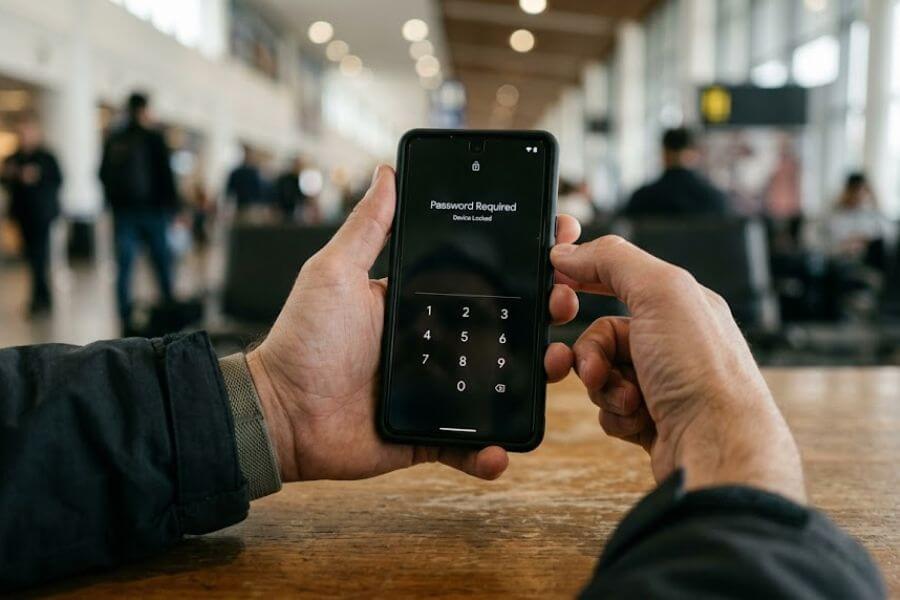
In many places, including customs checkpoints, officials can easily hold your phone up to your face or force your finger onto a sensor to unlock your device. They cannot easily force you to reveal a complex password memorized in your brain. Before you arrive at the border, go into your security settings and completely disable facial recognition and fingerprint unlocking.
Creating an Unbreakable Passcode
Switch your lock screen from a simple four-digit number to a long, complex alphanumeric password. This means using a combination of letters, numbers, and special symbols. Avoid obvious patterns like your birth year, your sequential numbers, or common words. A strong password should take a computer years to crack through guessing.
Changing Settings for the Border Crossing
As you sit on the plane waiting to land, take a few minutes to put your devices into lockdown mode. Turn off your wireless connections, turn off your bluetooth, and power the devices down completely. Many modern smartphones require the manual passcode instead of a fingerprint or face scan the very first time they boot up after being turned off. This gives you an extra layer of defense if someone handles your phone while it is powered down.
Navigating Public Wireless Networks
China is filled with public wireless networks. You will find them in every coffee shop, airport, train station, and hotel lobby. While free internet is tempting, these networks are prime hunting grounds for people who want to steal your data.
The Risk of Open Networks
Public wireless networks are inherently insecure everywhere in the world, but the risks are amplified when traveling. It is incredibly easy for a malicious actor to set up a fake network with a believable name, like Airport Free Wifi. If you connect to that fake network, the criminal can see every unencrypted piece of data you send, including your passwords and credit card numbers.
The Rule of Constant Encryption
If you must connect to a public network, never do it without your secure tunnel turned on first. Activate your encryption tool using your cellular data, and only then connect to the public wireless system. If the tunnel drops for even a single second, immediately disconnect from the network.
Turn off Automatic Connections
Our phones are lazy by nature. They constantly look for familiar networks and connect to them automatically to save data. Go into your network settings and turn off the feature that allows your phone to automatically join open networks. You should also tell your phone to forget networks as soon as you leave a business or hotel. This stops your phone from constantly broadcasting its search for those specific networks as you walk down the street.
Safer App Alternatives for Travelers
You cannot use your normal suite of apps in China, so you need to find alternatives that will keep you safe while still allowing you to navigate, translate, and communicate.
Communication Tools
If you need to talk to people back home, do not rely on standard text messages, which are unencrypted and easily intercepted. Try to get your family to install secure, end-to-end encrypted messaging apps before you leave.
- Signal: The gold standard for privacy. It stores almost no data about you or your messages.
- iMessage and FaceTime: If you and your family use Apple devices, these tools use strong encryption and often work well, though performance can be spotty depending on the local network controls.
- WhatsApp: Works well when your encryption tools are running, but it will fail completely if your tunnel drops.
Maps and Navigation
Google Maps will not work reliably in China. It is often outdated or completely blocked.
- Apple Maps: If you have an iPhone, Apple Maps works surprisingly well in China because Apple partners with a local mapping company to provide accurate data.
- Maps.me: This is an excellent alternative for both Android and iPhone users. You can download complete maps of Chinese cities while you are still at home. Once downloaded, the app uses your phone’s built-in satellite locator to navigate without needing any internet connection at all.
Translation Apps
You will face a massive language barrier, and you will need a translator to read signs, menus, and talk to locals.
- Google Translate: You can use this if you download the Chinese language pack for offline use before your trip. This allows you to translate text and use your camera to read signs without needing a live internet connection.
- Pleco: This is a fantastic dictionary app designed specifically for travelers in China. It works completely offline and is incredibly accurate.
The Reality of WeChat and Alipay
You cannot travel easily in China without addressing WeChat and Alipay. These are not just apps. They are the entire digital ecosystem of the country. China has become an almost entirely cashless society. From high-end hotels to street vendors selling fruit, everyone expects you to pay with your phone.
The Privacy Tradeoff of Local Apps
WeChat is a combination of Facebook, WhatsApp, PayPal, and Uber all rolled into one. Alipay is a massive payment system. To use them as a foreigner, you must link them to your passport and your international credit card. The moment you do this, you give up a massive amount of privacy. The Chinese government legally has access to all data flowing through these platforms. They can see who you talk to, what you buy, where you travel, and what time you wake up in the morning based on your first transaction of the day.
How to Use Them Safely
Since it is almost impossible to travel comfortably without digital payments, you have to find a balance between convenience and security.
- Isolate the Apps: If you are using a burner phone, install WeChat and Alipay only on that device. Keep them far away from your personal accounts and private emails.
- Log Out When Not in Use: Do not let these apps run constantly in the background. Force close them when you are finished paying for something.
- Turn off Microphone and Camera Permissions: Only grant camera access when you actively need to scan a payment code, and turn it off immediately afterward.
- Never Discuss Sensitive Topics: Do not use WeChat to talk about politics, the government, or anything else you would not want an official to read. The app uses automated keyword scanners that can flag your account or flag your identity for inspection.
Physical Security and Social Engineering
Digital security is completely useless if someone can simply walk up and grab your unlocked laptop off a coffee shop table. Physical safety and awareness of your surroundings are critical parts of data protection.
Protecting Your Screen in Public
When you are riding the bullet trains or sitting in a crowded subway station, be aware of who is standing behind you. People can easily look over your shoulder to watch you type your master password or view private work documents. Buy a cheap privacy screen protector for your phone and laptop. These are plastic covers that make the screen look completely black when viewed from an angle, meaning only the person sitting directly in front of the device can see the content.
The Danger of USB Charging Ports
When your phone battery runs low at an airport or train station, you will see public charging kiosks with USB ports ready to use. Never plug your phone directly into these ports using a standard cable. USB cables do not just carry electricity. They also transfer data. A compromised charging port can secretly install malware on your phone or drain your files while your phone charges.
- Bring your own wall brick: Plug your cable into a standard electrical outlet instead of a USB slot.
- Use a data blocker: This is a small adapter that plugs onto the end of your USB cable. It physically cuts the wires that transfer data while allowing electricity to pass through safely.
Dealing with Hotel Safes
Do not trust hotel room safes blindly. Most hotel safes have master override codes that hotel staff use when guests forget their combinations. These codes are often left as the factory defaults, like all zeros, meaning anyone with a little bit of knowledge can open your safe while you are out at dinner. If you leave your laptop in your room, lock it inside a hard-sided suitcase using a high-quality padlock, and anchor that suitcase to a heavy piece of furniture if possible.
What to Do If You Suspect a Breach
Even with the best preparation, things can still go wrong. You might notice your phone running incredibly hot, your battery draining in minutes, or strange popups appearing on your screen. These are classic signs that your device has been compromised.
Act Quickly to Isolate the Device
The moment you think your device has malware, disconnect it from all networks. Turn on airplane mode immediately and shut down your wireless connections and bluetooth. This stops the malware from sending your stolen data back to the attacker or spreading to other devices on the same network.
Change Your Passwords from a Clean Machine
Do not use the compromised phone to change your banking or email passwords. If a hacker has installed a keylogger, which is software that records every keystroke you make, they will simply see your new password as you type it. Use a trusted friend’s clean device, or wait until you can access a secure machine, to change the passwords for any accounts that were logged in on your compromised device.
The Factory Reset Option
If you are certain your phone has been infected with spyware, the best solution is to completely wipe it. A factory reset deletes everything on the device and restores the software to the state it was in when it left the factory. This will destroy the malware, but it will also destroy any photos or data you have collected since your last backup. This is why making backups before you leave home is so vital.
Returning Home After the Trip
Your privacy routine does not end when your return flight lands. You need to clean your devices before you reconnect them to your home network and integrate back into your normal life.
Clean Your Hardware
When you get back to your house, do not immediately connect your travel devices to your home wireless network. If your laptop picked up a virus in China, connecting it to your home network could allow that virus to spread to your family’s computers or your home storage drives. Run a deep antivirus scan while the device is completely offline.
Audit Your Financial Accounts
Check your credit card statements and bank accounts carefully for the first few weeks after you return. Look for small, unusual charges that you do not recognize. Thieves will often test a stolen card with a tiny charge of one dollar to see if you notice before they attempt a massive purchase.
Wipe the Burner Devices
If you used the burner phone method, congratulations. Your job is now very simple. Back up any travel photos you took to a clean computer, then go into the settings of your burner phone and trigger a complete factory reset. Once the phone is completely blank, turn it off and store it away for your next adventure.
Frequently Asked Questions
Can I just use my regular cell phone plan in China without doing anything special?
You can use your international roaming plan, and it will give you data access, but it does not protect you from physical searches, device theft, or local network tracking. Your traffic will bypass the Great Firewall while you are on cell data, but the moment you connect to your hotel wireless network to save data, you will be trapped behind the filter. You still need to follow privacy steps, turn off biometrics, and use encryption tools.
Is it illegal for a tourist to use an encryption tool or VPN in China?
The laws regarding these tools are complex and mostly aimed at local citizens and companies operating within the country. The government blocks the services themselves, but they do not actively arrest or fine foreign tourists simply for having an encryption app on their phones to check their personal emails. However, using these tools to access or spread politically sensitive information while inside the country can lead to serious trouble with local authorities.
What happens if a customs officer asks to see my phone at the border?
Customs officers have the legal right to inspect electronic devices entering the country. If they ask you to unlock your phone, you must comply if you want to enter China. If you refuse, they can deny you entry and send you back on the next flight. This is exactly why the burner device method is so popular. If you are forced to unlock your phone, you want them to look at a clean device with zero personal information, rather than your entire digital life history.
Should I create a new Apple ID or Google account just for my trip to China?
Creating a temporary travel account is a highly effective way to protect your privacy. By using a fresh account that is not linked to your main email, cloud storage, or contact lists, you ensure that even a total compromise of your travel device will not give anyone access to your primary digital life. Just make sure to set up the temporary account and share the new contact info with your family before you leave home.
Can I use Apple Pay in China instead of setting up WeChat or Alipay?
Apple Pay is not widely accepted in China. While you might find it at a few international chains like Starbucks or high-end hotels in major cities like Shanghai, the vast majority of local shops, taxis, and street vendors only accept WeChat Pay or Alipay. If you want to buy things easily without carrying large stacks of physical cash, you will need to set up one of the two major Chinese digital payment platforms.